VoiceWave AI simplifies content creation. This AI voice generator helps you create spoken audio, including AI voice clones.
This VoiceWave AI review will explore how this simple tool can help you work faster and smarter when creating videos, podcasts, and audiobooks, and more.
This article contains affiliate links. If you follow them and then make a purchase, I may receive a commission at no additional expense to you. Thanks for reading!
Table of Contents
What VoiceWave AI Does
VoiceWave AI generates speech using realistic, expressive AI voices. It offers stock voices as well as voice cloning capabilities. You can replicate your own voice or create your own character voices.
VoiceWave.ai is an ideal solution for scaling content creation whether you’re working alone or with a team. It’s from the same team as ArtSpace.ai (image generator) and CopySpace (AI writer).
Headed up by developer and entrepreneur Nico Engler, this team has a history of successfully sustaining generative AI applications.
Want to watch the video on YouTube? Follow this link.
Learn more about the VoiceWave AI lifetime deal here.
VoiceWaveAI’s Key Benefits

- Simplicity: The dashboard is clear and easy to use. Users start fast.
- Versatility: Create voices for videos, podcasts, and audiobooks.
- Voice Cloning: Clone your voice or create unique character voices easily.
- Affordability: Plans fit every budget. A Black Friday lifetime deal saves money.
VoiceWave.ai Pricing Plans
VoiceWave AI offers two sets of pricing tiers so that customers can get the usage they need within a more flexible budget. VoiceWave offers “standard” and “relaxed” plans.
Relaxed pricing provides all the same features as standard. The only difference is that voice generation is slightly slower during high-demand periods.
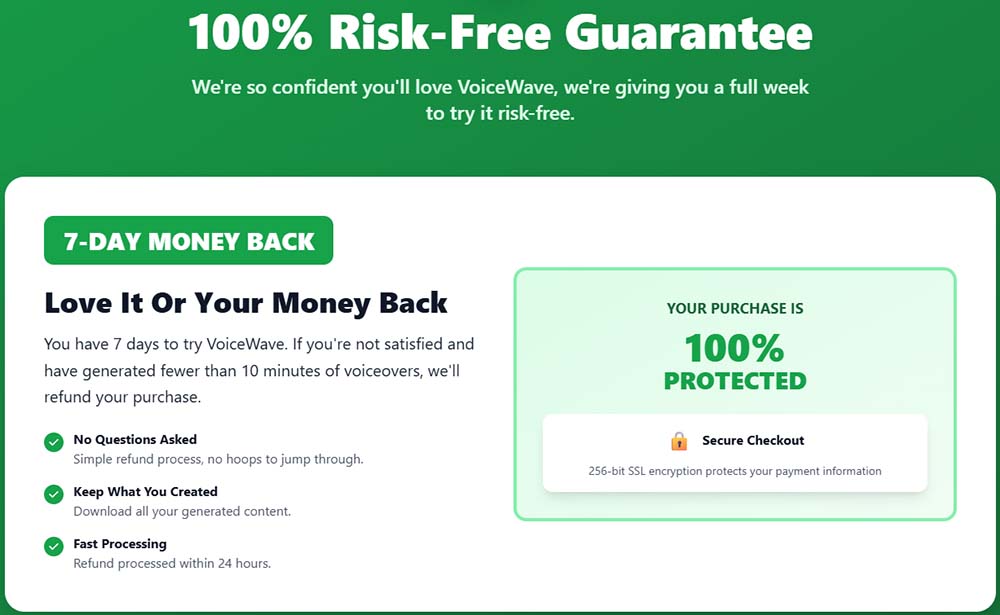
The prices of the current lifetime deal are subject to change, so I’ll just outline the features and you’ll have to check the latest prices yourself. All pricing options are covered by VoiceWave’s risk-free money-back guarantee.
- Starter: 20 default voices, full commercial use, no voice cloning.
- Pro: 71 voices, 38 languages, 10 voice clones.
- Unlimited: Unlimited voice generation, unlimited cloning.
Secret 10% Discount
If you visit the VoiceWave lifetime deal page on a computer/desktop browser, it will show you and exit intent popup when you start to navigate away. Sign up with your email to get a special 10% off code.

Quick Guide to Using VoiceWave AI
The VoiceWave AI dashboard emphasizes easy use. The “Help and Tips” section explains how to generate AI voices. When new features are introduced, this is a good place to start.
Generate Voices Fast
Generating AI voice audio is straightforward:
- Paste your text into the text box.
- Select a voice.
- Click “Generate.”
- Preview and download the finished audio.
Add Emotion to Audio
VoiceWave AI lets you add emotion to the generated voices. Results vary. Try different emotions to make unique audio experiences.
Master Voice Cloning
Voice cloning is a compelling feature. You need a 10-second clear audio clip to clone a voice.
- Click the “Clone Voice” button.
- Add a name.
- Select the language.
- Upload or record a 10-second audio clip.
Modify and Create New Voices
You can create your own character voices by slightly modifying your own voice, or by using a voice changer (some USB microphones have voice change software included).
If you want to create your own character voices, you don’t have to be a pro voice actor. Try mimicking a character you know from TV or movies.
In all likelihood you won’t sound that much like them, but you WILL sound different from your normal voice, creating a unique character.

Tips for Voice Generation Success
AI generated voice doesn’t always pronounce everything correctly, especially in cases where words have multiple correct pronunciations. Here are a few tips for getting the AI to pronounce words the way you want:
- Punctuation: Correct punctuation helps the AI sound more human
- Phonetics: Changing a word’s spelling to match the phonetics sound often helps
- Emphasis: Use capital letters for strong emphasis. Use an ellipsis (…) for dramatic pauses
VoiceWave AI Review: Is it Legit and Worth Buying?
VoiceWave AI provides a powerful, versatile tool for audio content. Its simple interface, voice cloning, and low price make it essential. Content creators of all levels benefit.
If you’re looking for a way to generate high-quality AI voice audio, getting the VoiceWave lifetime deal is a great option. It’s covered by a money-back guarantee, and the product is likely to improve and add new features rapidly.
If you have any questions related to my Voicewave review, feel free to contact me or reach out to the VoiceWave staff via their website.